The four cloud storage plans Australian households should actually pay for
Most Australians pay for cloud storage they do not use. The typical household runs three or four subscriptions and sits at 15 per cent utilisation while the monthly charges roll on. Here are the four services worth the money.

Australians spend roughly $340 million a year on cloud storage subscriptions, and by every measure most of it is wasted. The typical household runs three or four plans, a few hundred gigabytes each, and never fills even a fifth of what they pay for. The storage is fine. The problem is that the plans arrive bundled with things nobody asked for, or default at sign-up and never get revisited.
What we recommend
Microsoft 365 Family at $A18 a month covers six people with 1 TB each and throws in the Office apps most households already use. If that is overkill, Google One at $US8.33 a month for 2 TB is the best pure storage pick, with a Singapore data centre that keeps latency low. Proton Drive is what you pick when the question is privacy. And iCloud works fine if your house runs on Apple hardware and you never need to share a file with anyone outside it.
How cloud storage actually works
When you save a file to OneDrive, Google Drive, or iCloud, the service copies it to a data centre, then syncs that copy to every device signed into your account. The file on your laptop is a local cache. The one on the provider’s servers is the real one. Delete it there and it is gone everywhere.
Cloud storage is not backup, though the companies selling it wish you would stop making that distinction. A real backup is versioned, immutable, and survives a ransomware pass on your local machine. Cloud sync replicates deletions instantly and cheerfully. If you actually want backup, you need a tool built for it.
For Australian users the geography of the data centres also counts. Google and IDrive operate out of Singapore, the closest major cloud region to Australia. Microsoft runs out of Sydney. Proton and pCloud keep everything in Europe. iCloud uses a mix of US and Australian points of presence. Day to day you will not notice the difference. Try uploading a 50 GB video project or collaborating in real time and you will.
Then there is the Five Eyes question. Australia sits inside the alliance alongside the US, UK, Canada, and New Zealand. Data stored with a US-headquartered provider sits inside that framework. Swiss-based Proton sits outside it. Whether that matters turns on what you are storing, but it is worth knowing before you upload scanned tax returns.
The services worth paying for
Not every cloud storage service earns a recommendation. The four below cover the bases most Australian households actually need: value, productivity, privacy, and convenience. Two more earn an honourable mention. Three are not worth the money.
Microsoft OneDrive: the value pick, if you already pay for Office
Microsoft 365 Personal is $A16 a month for one person. The Family plan is $A18 a month for up to six. Each seat gets 1 TB, the full desktop Office apps, Teams, and the Copilot AI features. At six seats filled, that is $A3 per person per month. The Australian data region means Microsoft stores your files in Sydney. The company runs local phone support on 1800 624 449 during business hours.
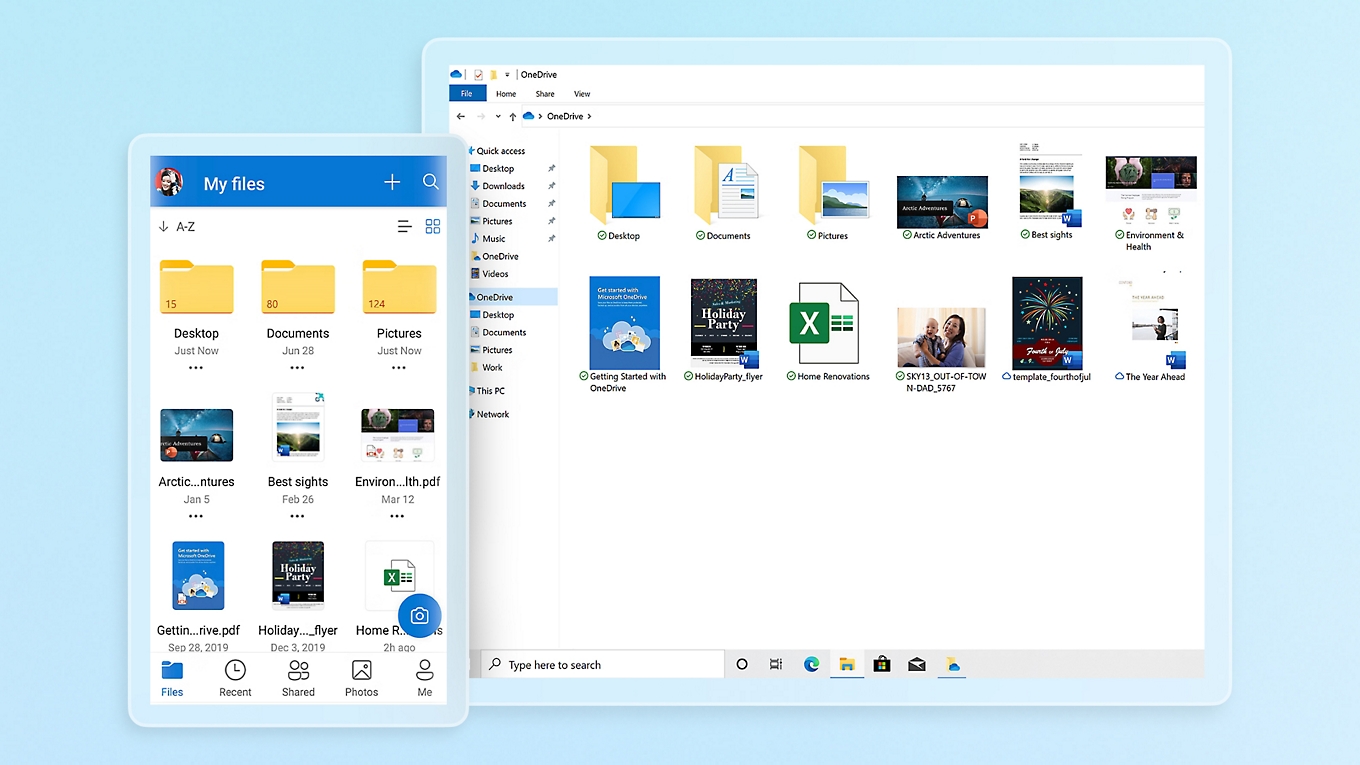
The client is on Windows, macOS, iOS, and Android. Files on Demand keeps the full directory tree visible in Finder or File Explorer without downloading everything to disk, which matters more than it sounds when you have a 1 TB allocation and a 256 GB laptop.
But OneDrive is not the privacy pick. Microsoft scans files for policy violations and reserves the right to review anything its automated systems flag. There is no client-side encryption option. If you store sensitive personal documents on OneDrive, Microsoft holds the keys.
Microsoft OneDrive plans and pricing
Google Drive: the best general-purpose cloud storage, full stop
Fifteen gigabytes free across Drive, Gmail, and Google Photos. Paid plans start at 100 GB for a few dollars a month and scale to 30 TB. The 2 TB plan at $US8.33 a month hits the sweet spot for a family. Family sharing adds up to five people at no extra cost on every paid tier.
Singapore is Google’s closest data centre to Australia. Cloudwards clocked a 5 GB mixed-media upload at roughly seven minutes on a 100 Mbps connection, matching most competitors, and CPU usage during transfers stayed low.
Google Docs, Sheets, and Slides are not bolted on. They are the storage. Share a folder with edit permissions and the recipient opens and edits without installing anything. That integration is the thing OneDrive has been chasing for a decade and still has not matched.
The privacy picture is the worst in this guide. No client-side encryption. Files scanned for abuse and policy violations. Shared links with no password protection. If your threat model includes platform surveillance, Google Drive is the wrong tool. For everyday documents and photo backup, it remains the most capable option.
Proton Drive: for when you actually mean private
Everything Proton Drive stores is encrypted on the client before it leaves your device. Proton does not hold the keys and cannot decrypt your files under any legal compulsion. The company sits under Swiss law, which means stronger data protection than Australia’s Privacy Act and no Five Eyes exposure.
Plans start at $US3.99 a month for 200 GB. The Proton Unlimited bundle at $US9.99 a month covers 500 GB of Drive, plus Proton VPN, Proton Mail, and Proton Calendar. Client-side encryption is default on all plans, not an upsell.
The catch is infrastructure. Proton’s servers are in Switzerland, Germany, and Norway. No Asia-Pacific presence. A 5 GB upload at roughly seven minutes on a 100 Mbps line is competitive, but real-time collaboration across those distances adds latency that Google and OneDrive avoid. Proton Docs and Sheets exist but are not yet replacements for Google Workspace.
For Australian users who take privacy seriously, the Swiss jurisdiction is the whole point. Proton’s transparency report shows it contests every request not valid under Swiss legal standards. Australian agencies have issued more than 300,000 requests to tech companies for user data in the past five years, nearly all to US firms.
Proton Drive plans and pricing
Apple iCloud: seamless, until you need to share with a Windows user
iCloud is not the best cloud storage service by any objective measure. It is the one that requires the least thought if your household already runs on iPhones, iPads, and Macs. Photos, messages, device settings, and app data back up automatically. The 5 GB free tier is unusably small, pushing most people to 50 GB ($A1.49 a month), 200 GB ($A4.49 a month), or 2 TB ($A14.99 a month). Family Sharing pools storage across five people.
iCloud Private Relay, included with paid plans, routes Safari traffic through two relays so neither your ISP nor Apple sees the full picture. It is not a VPN but it is more privacy plumbing than Google or Microsoft include in their base storage tiers.
The boundary is cross-platform support. iCloud for Windows works but feels like an afterthought. No Linux client exists. File sharing with non-Apple users happens through a web link, and the experience is rougher than Google Drive. If a single person in the household uses Windows or Android, iCloud should be the secondary layer, not the primary one.
Apple iCloud plans and pricing
Two more worth a look
pCloud sells a lifetime 2 TB plan for $US399. That is about $A11 a month amortised over three years, and it gets cheaper from there. The built-in media player streams video and audio directly from the cloud, which is a niche feature until you try it. Client-side encryption costs extra. Servers are in the US and Luxembourg. If you want a set-and-forget storage bucket without collaboration tools, pCloud is the best dollar-per-gigabyte deal going. pCloud plans and pricing
IDrive is the one to pick when you mean backup, not sync. The 5 TB Personal plan starts at $US5.81 a month for the first term, covers unlimited devices, and does continuous backup, snapshots, and NAS integration from a Singapore data centre. The interface looks dated and client-side encryption defaults to off. Turn it on. If the job is backing up a household of laptops and phones to one account, IDrive is the right tool for it. IDrive plans and pricing
Three to skip
MEGA gives you 20 GB free with client-side encryption turned on by default, which sounds generous. The download quota system undoes it. MEGA throttles large transfers daily, decommissioned its New Zealand data centre and now runs from the EU and Japan, and charges prices that are not better than Proton or Google at the same tiers. The yellow folder icons have not changed since 2012.
Internxt does two things well: post-quantum encryption and open-source transparency. Then the list stops. Servers in Spain only produced the slowest speeds to Australia of any service Cloudwards tested. No file versioning. No collaboration. No automatic photo upload on mobile. Year one is cheap. The renewal is not. Unless post-quantum encryption is a specific requirement you can articulate, Proton Drive or pCloud with client-side encryption do more for less.
Dropbox still runs and still syncs folders. It has also not been competitive on price for Australian users in years. The free tier is 2 GB. The 2 TB Plus plan costs $US11.99 a month with no family sharing and no Australian or Asia-Pacific data centre. Dropbox invented the sync folder in 2007. The world moved on.
Frequently asked questions
Do I need cloud storage if I already have an external hard drive?
An external drive saves you from disk failure. It does not save you from fire, flood, theft, or a toddler with orange juice. Cloud storage gives you a copy somewhere else. The standard advice is 3-2-1: three copies of your data, on two different media, with one offsite. An external drive plus a cloud service covers it.
Is it safe to store tax returns in the cloud?
If you use Proton Drive or pCloud with client-side encryption turned on, the provider cannot read your files, which means they cannot be compelled to hand them over. OneDrive and Google Drive encrypt in transit and at rest but hold the keys. For most households the practical risk is small. If your profession involves confidentiality, client-side encryption is non-negotiable.
What is the fastest cloud storage from Australia?
Google Drive and IDrive out of Singapore consistently top independent speed tests to Australian connections. OneDrive benefits from the Australian Azure region but routes through a global CDN. Proton Drive and pCloud are European-hosted and a touch slower. Across the tested services, the speed gap on a 5 GB transfer is roughly two minutes, which for most people is not the deciding variable.
Can I use more than one?
Plenty of people do. Google Drive for documents and collaboration, iCloud for device backup, Proton Drive or pCloud for sensitive records. The services run background agents that sit idle between changes, so overhead is near zero. The risk is scattering files across three services and losing track of what lives where. Nominate one as the canonical home.
Should Australian businesses worry about data sovereignty?
Financial services, healthcare, and government contractors have statutory obligations to keep certain data in Australia under the Privacy Act and APRA CPS 234. Microsoft 365 with Australian data residency handles that. Small businesses with no regulatory exposure have more room to move but should still know where their data sits. ASIC has signalled that cloud governance is on the agenda for its next cyber resilience review round.

Soren Chau
Enterprise editor covering AWS, Azure, and GCP in the AU region, plus the SaaS shaping local IT. Reports from Sydney.